Solar PV and Panel Repairs UK: Faults and Safety

A fall in solar generation does not always mean the panels have failed. Monitoring, grid supply, an inverter, isolator, connector, cable, shade, dirt or a battery setting can all affect the result. Start with safe observations and use a competent solar or electrical professional for testing and repair.

Urgent warning: if you see smoke, scorching, water around electrical equipment, exposed or damaged cables, repeated circuit-breaker trips, unusual heat, buzzing or arcing, keep away and obtain urgent professional help. Call the emergency services if there is a fire or immediate danger.

Solar fault checker

Choose the closest sign below. This cannot diagnose an electrical fault, but it can help you decide how urgent it is, what to record and who to contact.

Smoke, sparks, a burning smell, buzzing, heat or repeated trips

Treat this as urgent. Keep people away from the equipment. Do not open the inverter, touch damaged cables or climb onto the roof. If there is smoke, fire or immediate danger, leave the area and call 999. Otherwise contact a qualified solar electrician urgently.

A cracked panel, loose cable or visible storm damage

Do not touch it or inspect it from the roof. Take clear photographs from ground level if you can do so safely, note when the damage appeared and contact the installer, warranty provider or a qualified solar electrician. Electrical Safety First says visible cracks, loose connections and cable damage should be checked by a professional.

A red inverter light, error code or blank display

Photograph the light or code and write down the time it appeared. Check the inverter manual for that exact code, but do not remove covers or keep resetting the unit. Contact the original installer or manufacturer support. Ask whether the inverter or workmanship warranty applies before agreeing to paid work.

Generation is lower than expected

Compare several days with similar weather rather than one cloudy day. Check the monitoring app, inverter display and export readings if available. Look for new shading or debris only from ground level. If the drop continues, send the dates, screenshots and recent readings to the installer or a qualified solar specialist.

The monitoring app is offline, but the inverter looks normal

This may be a monitoring or internet problem rather than a generation fault. Check whether your broadband, router and the app service are working. Look at the inverter’s normal display from a safe position and record any lights or messages. Contact app or installer support if the data does not return.

The original installer has stopped trading

Check your handover pack for the workmanship warranty, equipment warranties and any insurance-backed warranty. Check the company on Companies House. RECC advises using the insurance-backed warranty route where available; otherwise find another certified installer and agree a written inspection price before work starts.

Find an MCS-certified installer.

Safety basis: Electrical Safety First solar guidance and RECC guidance for faulty or underperforming systems.

Do not dismantle or test rooftop DC equipment

Solar panels can produce direct-current electricity whenever light reaches them, even if household power is switched off. Do not open an inverter, unplug rooftop connectors, remove panel covers or climb onto the roof. Do not repeatedly reset an error unless the manufacturer or a competent professional has confirmed that action is safe.

Safe checks from ground level

  1. Check whether the monitoring app is offline or whether generation itself is zero.
  2. Record the date, weather, displayed power, daily kWh and exact inverter or battery error code.
  3. Compare with the same season and similar weather rather than one unusually sunny day.
  4. Check for a known local grid outage.
  5. From the ground, look for new shade, heavy debris, visible cracked glass or obvious cable damage.
  6. Find the handover pack, system diagram, warranties, MCS certificate and installer details.

Common symptoms and sensible next actions

SymptomPossible areaNext action
Monitoring app says offline but inverter looks normalRouter, Wi-Fi, data logger or portalCheck the app provider’s status and documented connection steps before assuming generation has failed.
Inverter display is blankSupply, isolator, inverter or wiringPhotograph the state and contact the installer or qualified repairer; do not open equipment.
Specific inverter error codeGrid, insulation, string, temperature or internal faultRecord the exact code and model, then use the manufacturer’s support route or a qualified engineer.
Generation is lower than previous yearsShade, soiling, string fault, degradation, meter or model comparisonCompare like-for-like weather and seasons; request measured string and inverter diagnostics if the difference remains material.
One panel appears damagedGlass, frame, connector or module electronicsKeep clear and arrange a professional inspection, especially after impact or storm damage.
Battery not charging or dischargingSettings, reserve level, tariff schedule, communication or battery/inverter faultSave screenshots of state of charge and settings; contact the system support route.
Breaker trips, burning smell or abnormal heatPotential electrical faultTreat as urgent; keep away and contact a competent electrician or emergency services as appropriate.

Low output is not automatically a panel fault

Cloud, seasonal daylight, higher panel temperature, new shade and household consumption can change what an app reports. Compare generation at the inverter or meter with historic generation, not only grid export. Export can fall because the home used more solar directly.

Cleaning and visual maintenance

Most tilted panels receive some cleaning from rain. Heavy deposits, leaves, lichen or bird fouling can reduce output and create uneven heating. Use a specialist where cleaning is genuinely needed; working at height and handling equipment around live generation are not routine DIY jobs.

Electrical Safety First recommends regular visual checks for cracks, loose connections and cable damage, and professional attention when problems appear. Its consumer guidance also recommends regular inspection and testing of the PV system.

Check warranties before approving work

  • Installer workmanship warranty.
  • Panel product warranty and separate performance warranty.
  • Inverter, optimiser, microinverter and battery warranties.
  • Insurance-backed guarantee or consumer-code protection.
  • Monitoring subscription or communications warranty.

Ask the repairer whether diagnostics or replacement could affect an existing warranty. Do not let a cold caller replace working equipment without a documented fault and written justification.

If the original installer has stopped trading

Contact the equipment manufacturer and any insurance-backed guarantee provider named in the handover documents. Use the MCS directory to find appropriately certified installers, and explain that the job is inspection or remedial work on an existing system. Certification for new installations does not by itself prove experience with every legacy inverter or battery.

Questions for a solar repair company

  • Which qualifications and registrations cover this diagnostic work?
  • Will you test the AC side, DC strings, insulation and generation evidence as applicable?
  • Will I receive a written fault report, test results and photographs?
  • Is the proposed part compatible with the existing array, inverter and monitoring?
  • Does changing inverter capacity or export control require DNO paperwork?
  • What warranty applies to the replacement part and labour?
  • What is the diagnostic charge if no fault is found?

After the repair

Keep the fault report, test results, new serial numbers, warranty, invoice, updated schematic and any DNO correspondence with the original handover pack. Confirm that monitoring, export measurement and battery schedules still work.

Related guides

Shareable visual summary

Use this graphic in a relevant article, community resource, presentation or social post. Please keep the wording intact and include visible credit with a link to this guide.

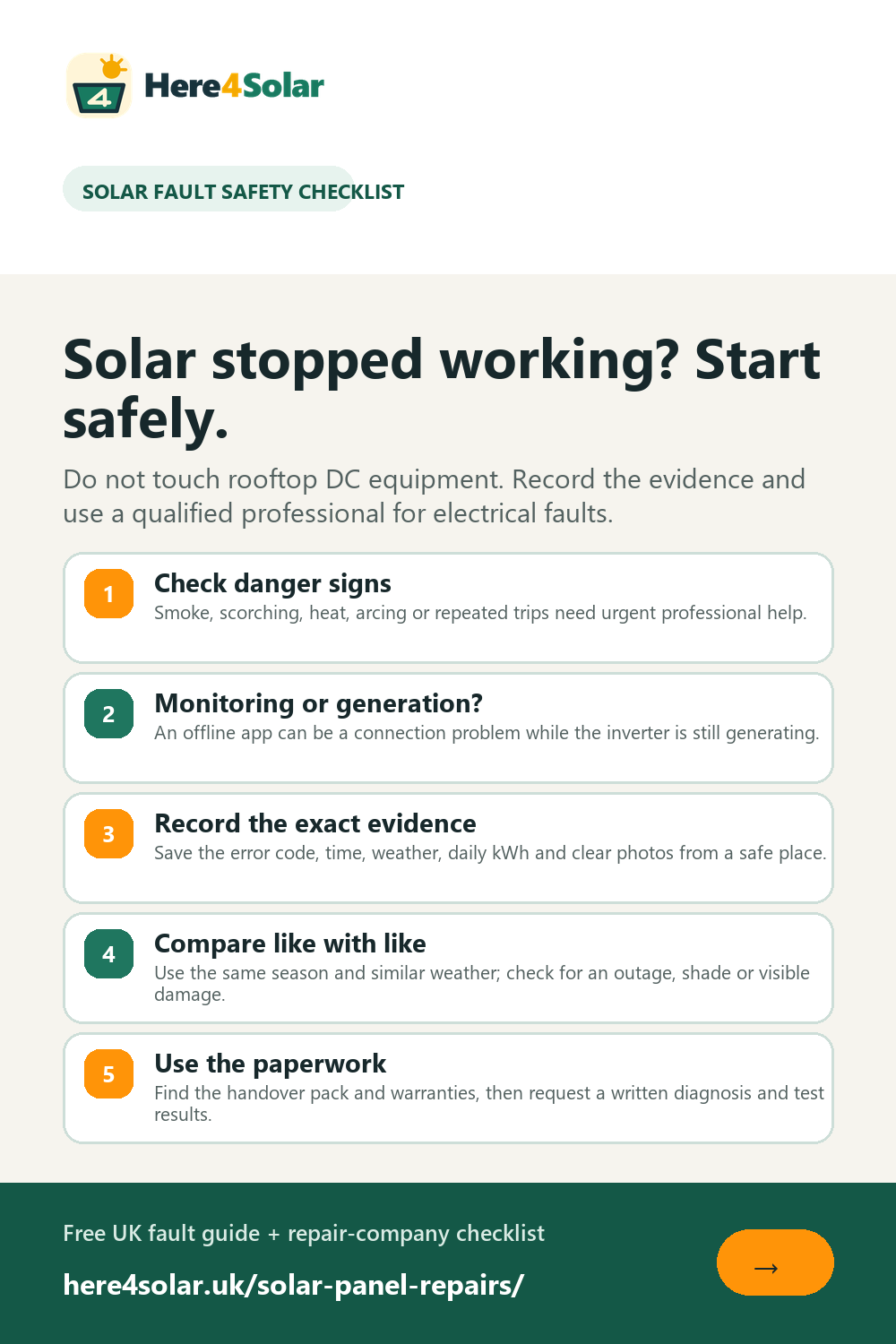
Solar panel repair safety checklist

UK solar panel repair safety checklist covering danger signs, monitoring, error evidence, comparisons and paperwork

Usage note: You may use this image if you credit and link to this page.

Suggested attribution: Here4Solar.uk - https://here4solar.uk/solar-panel-repairs/

Suggested attribution

Source: Here4Solar.uk - https://here4solar.uk/solar-panel-repairs/

Sources and official guidance3